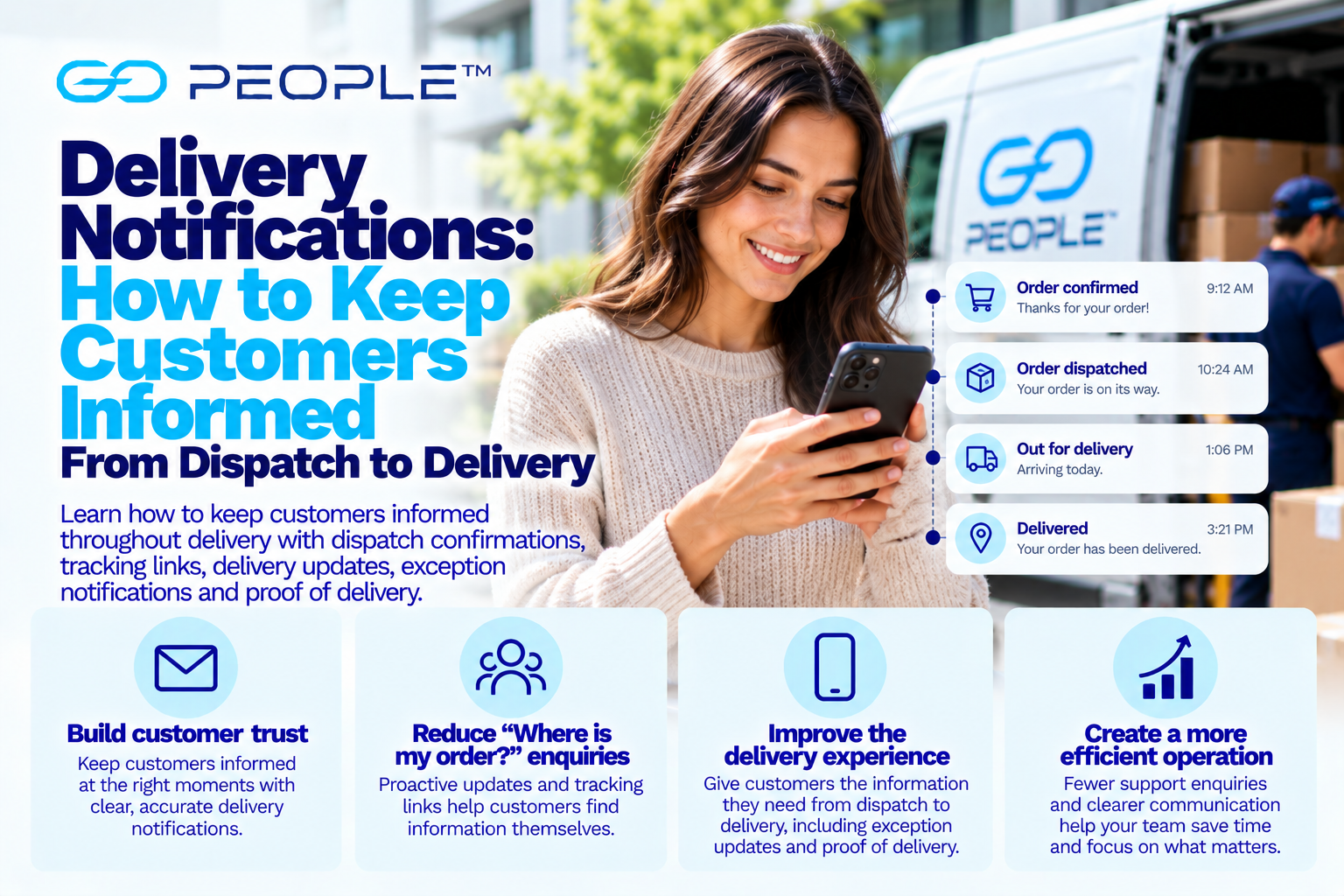
When customers place an order online, there is a period when the business has their money—but the customer does not yet have their product.
That gap creates uncertainty.
Customers start asking:
- Has my order been dispatched?
- Where is it now?
- Is it coming today?
- Has something gone wrong?
- Do I need to be home?
- Was delivery attempted?
- Has it been delivered?
A good delivery communication strategy answers these questions before the customer has to ask them.
That does not mean sending constant messages.
It means giving customers the right information at the moments when it is genuinely useful.
For businesses, effective delivery notifications can improve customer experience while reducing routine “Where is my order?” enquiries and making delivery exceptions easier to manage.
What Are Delivery Notifications?
Delivery notifications are messages sent to customers about the progress or status of their delivery.
Depending on the delivery process, they may include:
- dispatch confirmation;
- tracking information;
- expected delivery information;
- delivery-progress updates;
- unsuccessful-delivery notifications;
- exception alerts;
- action-required messages; and
- delivery confirmation.
These messages may be delivered through channels such as:
- email;
- SMS;
- tracking pages; or
- other customer communication systems.
The objective is not simply to send more messages.
It is to reduce uncertainty.
The Delivery Communication Journey
A useful way to design delivery notifications is around the customer’s journey.
A typical process might look like:
Order confirmed
↓
Order being prepared
↓
Dispatched
↓
Tracking available
↓
Delivery progressing
↓
Exception if something goes wrong
↓
Delivered
Each stage answers a different customer question.
Businesses do not necessarily need a notification at every stage.
They should identify the moments where information helps the customer understand what happens next.
1. Set Delivery Expectations Before the Customer Orders
Good delivery communication starts before checkout.
Customers should be able to understand important information such as:
- available delivery options;
- expected delivery timeframe;
- applicable charges;
- relevant cut-offs;
- location or service restrictions; and
- important delivery conditions.
This reduces the chance of a mismatch between:
what the customer expects
and
what the business can actually provide.
If customers discover important delivery conditions only after paying, dissatisfaction can begin before the parcel even leaves the warehouse.
2. Make the Delivery Promise Clear
Avoid vague delivery language where possible.
For example, customers can misunderstand phrases such as:
- fast delivery;
- express delivery;
- priority shipping; or
- ships tomorrow.
Does “ships tomorrow” mean:
leaves the warehouse tomorrow
or:
arrives tomorrow?
Those are very different promises.
Clearly distinguish between:
Dispatch Time
When the order leaves your business.
Delivery Time
When it is expected to reach the recipient.
This distinction can prevent a significant amount of confusion.
3. Send an Order Confirmation
Immediately after checkout, customers generally want reassurance that the transaction worked.
An order confirmation can include:
- order number;
- products ordered;
- delivery address;
- selected delivery method;
- delivery charge;
- and other relevant order information.
This is also an opportunity for the customer to notice an obvious mistake.
For example:
“I entered my old address.”
Finding that problem immediately is much better than discovering it after dispatch.
4. Don’t Tell Customers an Order Has Shipped Before It Has
One common ecommerce problem is triggering a “Your order has shipped” message when:
- a label was created;
- a booking was made; or
- the order entered a warehouse queue,
but the parcel has not actually entered the delivery process.
That creates a gap between the customer’s expectation and reality.
Where systems allow it, notification language should reflect the actual event.
For example:
Order being prepared
is different from:
Order dispatched
Accurate language builds trust.
5. The Dispatch Notification Is One of the Most Important Messages
Once an order genuinely leaves the fulfilment process and enters delivery, tell the customer.
A useful dispatch message can include:
- confirmation that the order has been dispatched;
- delivery reference where appropriate;
- tracking link;
- expected delivery information where available; and
- any action the recipient needs to take.
The customer should not need to search through their account or contact support to discover whether their order has left.
6. Make the Tracking Link Easy to Find
Do not bury tracking information underneath:
- promotional banners;
- product recommendations;
- social links;
- loyalty messages; and
- unrelated marketing.
The customer’s priority is simple:
Where is my order?
Make the tracking link prominent.
A good notification might have one clear primary action:
Track My Delivery
Everything else is secondary.
7. Use a Customer-Friendly Tracking Page
Tracking data is useful only when customers can understand it.
Technical operational codes may make sense internally but confuse recipients.
Customers generally need simple information such as:
- delivery status;
- latest update;
- relevant timing information;
- and what happens next.
A useful tracking experience should reduce questions rather than create new ones.
For more detail, see How to Track Your Delivery in Real Time.
8. Explain Tracking Statuses Clearly
Customers may encounter statuses such as:
Awaiting collection
Collected
In transit
Out for delivery
Delivery attempted
Delivered
The terminology can vary between providers.
What matters is that the customer understands what the status means.
For example, “In transit” generally indicates that a parcel is moving through the delivery process, but it does not necessarily mean the driver is currently approaching the recipient’s address.
See What Does “In Transit” Mean? for a more detailed explanation.
9. Don’t Send a Notification for Every Tiny Status Change
More communication is not always better communication.
Imagine receiving:
10:01 — Order processed
10:04 — Delivery created
10:06 — Manifest generated
10:08 — Parcel assigned
10:13 — Parcel status updated
10:19 — Route processing
The customer probably does not need any of this.
Excessive notifications can:
- annoy customers;
- make important messages easier to miss;
- create confusion; and
- reduce engagement.
Notify customers when the information meaningfully changes what they know or what they need to do.
10. Think in Terms of Customer Questions
Every notification should answer a question.
Order Confirmation
Did my order go through?
Dispatch
Has it left?
Tracking
Where is it?
Delivery Progress
Is it getting closer?
Exception
Has something gone wrong?
Action Required
What do I need to do?
Completion
Has it been delivered?
If a notification answers none of these questions, ask whether it is necessary.
11. SMS and Email Serve Different Purposes
Businesses do not necessarily need to choose only one communication channel.
Each can serve a different role.
Email can be useful for:
- order confirmation;
- detailed dispatch information;
- receipts;
- tracking links;
- longer instructions; and
- delivery summaries.
SMS
SMS can be useful for more immediate, concise information such as:
- delivery approaching;
- delivery attempt;
- action required;
- important exception; or
- delivery completion.
The appropriate mix depends on the business and delivery process.
12. Keep SMS Messages Short and Useful
Customers usually read SMS messages quickly.
A useful delivery SMS should make the essential information obvious.
For example:
Your order is on its way. Track your delivery here: [link]
Or:
We couldn’t complete your delivery. View the latest status and next steps here: [link]
The exact wording should reflect the actual delivery process.
Avoid filling operational notifications with unnecessary marketing.
13. Use Email When More Explanation Is Needed
Some delivery events require more context.
Email provides room to explain:
- what happened;
- what the customer should do;
- relevant delivery information;
- and where to get help.
This can be particularly useful for exceptions or situations where the customer needs clear instructions.
14. Proactive Communication Is Better Than Reactive Support
Consider two experiences.
Experience A
The delivery is delayed.
The customer receives no information.
They wait.
They check tracking.
Nothing appears clear.
They contact support.
Support investigates.
The customer waits again.
Experience B
The delivery encounters an exception.
The customer receives a useful update explaining:
- that something has changed;
- the current status;
- and what happens next.
The second experience does not eliminate the delivery problem.
But it reduces uncertainty.
This distinction matters.
Customers may tolerate occasional problems more easily when communication is clear and proactive.
15. Delivery Exceptions Deserve Priority
Routine delivery progress is useful.
Exception communication is critical.
Exceptions might include:
- unsuccessful delivery;
- address problem;
- access issue;
- unexpected delay;
- parcel redirected;
- customer action required; or
- another abnormal event.
When something changes the expected delivery outcome, the customer should not discover it hours later by repeatedly refreshing a tracking page.
16. Tell Customers What Happens Next
A weak exception notification says:
Delivery unsuccessful.
A better communication strategy answers:
What happened?
What happens now?
Does the customer need to do anything?
For example, depending on the actual process:
- another delivery attempt may occur;
- the parcel may be returned;
- the customer may need to contact the sender;
- an address may need to be corrected;
- or another resolution process may apply.
The important point is not to invent a universal next step.
It is to communicate the actual next step for that delivery.
17. Failed Delivery Communication Can Prevent Repeat Problems
Suppose delivery fails because the driver cannot access an apartment building.
If the next attempt occurs without any additional information, the same failure may happen again.
A useful process should capture and communicate relevant information.
Depending on the circumstances, this could include:
- updated access instructions;
- corrected contact information;
- corrected address details; or
- another appropriate action.
For more on prevention, see How to Reduce Failed Deliveries and Improve First-Attempt Delivery Success.
18. Don’t Make Customers Decode Internal Logistics Language
Internal delivery terminology may include:
- route codes;
- scan events;
- facility names;
- operational statuses;
- exception codes; and
- driver workflow terminology.
Customers do not need to understand your logistics system.
Translate internal events into customer-friendly language.
Instead of:
Exception Code 47 — Access Failure
a customer may benefit more from:
We couldn’t access the delivery location.
Clear language reduces confusion.
19. Avoid Making Promises the Tracking Data Cannot Support
Tracking can create problems when businesses turn uncertain information into precise promises.
For example, if the delivery system cannot reliably support a precise arrival time, avoid presenting one as guaranteed.
It is better to communicate an honest delivery window or status than to provide false precision.
Customer trust depends on information being useful and credible.
20. Delivery Notifications Should Match the Service
Different delivery services create different customer expectations.
Next-Day Delivery
Customers may want to know:
- order dispatched;
- tracking available;
- delivery progress;
- delivered.
Same-Day Delivery
More timely progress information may be valuable because the delivery window is shorter.
On-Demand Delivery
For an urgent job, the sender or recipient may value closer visibility over progress.
Multi-Drop Delivery
Customers still need visibility over their individual delivery even though it forms part of a larger route.
The communication strategy should reflect the delivery model.
21. Tracking Can Reduce “Where Is My Order?” Enquiries
A significant amount of customer-service work can be created by simple uncertainty.
If customers cannot easily find delivery information, they contact the business.
This creates WISMO enquiries:
Where Is My Order?
At scale, these enquiries can become expensive.
Suppose a business receives 50 delivery-status enquiries per day.
If each interaction consumes 10 minutes:
50 × 10 = 500 minutes
That is more than eight hours of customer-service time every day.
A strong tracking and notification experience can allow many customers to find routine information themselves.
For a deeper guide, see How Delivery Tracking Can Reduce Customer Service Enquiries.
22. Measure Delivery Enquiries
Do not simply assume your communication is working.
Track:
Delivery-related enquiries ÷ total deliveries
For example:
100 enquiries ÷ 2,000 deliveries = 5%
Then categorise those enquiries.
Possible categories include:
- where is my order;
- delivery timeframe;
- tracking not updating;
- unsuccessful delivery;
- delivered but not received;
- address problem; and
- other.
The categories show where communication needs improvement.
23. Look for Questions Customers Ask Repeatedly
If hundreds of customers ask:
“What happens after an unsuccessful delivery?”
that is a communication problem.
If they repeatedly ask:
“Has my order actually shipped?”
that may indicate unclear dispatch notifications.
If they ask:
“What does this tracking status mean?”
the tracking language may need improvement.
Customer-service enquiries are therefore a valuable source of UX data.
24. Use Proof of Delivery to Confirm Completion
Once delivery is completed, customers and businesses may need confirmation.
Depending on the service, proof of delivery can include information such as:
- delivery status;
- timestamp;
- photograph;
- signature; or
- another completion record.
This can help answer questions such as:
“Has it actually arrived?”
or:
“When was it delivered?”
For more detail, see What Is Proof of Delivery and Why Does It Matter?.
25. Send a Useful Delivery Confirmation
A delivery confirmation should make completion clear.
Depending on the available information, it might include:
- delivered status;
- delivery time;
- tracking or POD link; and
- relevant next steps.
Again, keep the purpose clear.
The customer should immediately understand:
My delivery has been completed.
26. Be Careful With Marketing in Operational Messages
Delivery notifications can have high engagement because customers genuinely want the information.
That makes them tempting marketing channels.
But the operational purpose should remain primary.
A customer trying to find a parcel should not have to navigate:
- discount codes;
- product recommendations;
- referral offers;
- social media links; and
- promotional banners
before finding the tracking information.
Commerce can be added carefully.
Clarity should come first.
27. Make Notifications Mobile-Friendly
Many customers will open delivery messages on a phone.
Check:
- subject lines;
- SMS length;
- button size;
- tracking links;
- mobile tracking-page layout;
- loading speed; and
- readability.
A beautifully designed desktop email that is difficult to use on mobile does not provide a good delivery experience.
28. Keep Branding Consistent
Delivery communications may come from:
- your ecommerce platform;
- warehouse system;
- delivery provider;
- SMS provider; and
- tracking platform.
If every message looks and sounds completely different, the customer experience can feel fragmented.
Where practical, maintain consistency in:
- business name;
- tone;
- terminology;
- delivery-service naming; and
- customer instructions.
The customer should understand who the message relates to and why they received it.
29. Make Support Easy to Find When Something Is Wrong
Self-service is useful for routine information.
But when a real problem occurs, customers may need help.
Avoid creating a tracking experience where the customer reaches an exception but has no idea:
- who to contact;
- what to do;
- or what happens next.
The support path should reflect the actual responsibility model between:
- merchant;
- delivery provider; and
- recipient.
30. Give Customer-Service Teams the Same Information
A common failure occurs when customers can see more tracking information than support staff.
The customer calls and says:
“My tracking says delivery was unsuccessful.”
The support agent replies:
“I can’t see that.”
That creates frustration.
Where practical, customer-service teams should have access to the relevant delivery information required to investigate enquiries.
31. Create Standard Responses for Common Delivery Events
Support teams often answer the same questions repeatedly.
Create approved guidance for common situations such as:
- tracking hasn’t updated;
- delivery delayed;
- unsuccessful delivery;
- wrong address;
- delivered but not found;
- customer unavailable;
- and proof-of-delivery enquiry.
This improves:
- consistency;
- speed;
- training; and
- customer experience.
32. Don’t Hide Delivery Problems
Some businesses are reluctant to proactively tell customers about delivery problems.
The logic is:
“Maybe they won’t notice.”
That is risky.
Customers usually notice when an expected order does not arrive.
The difference is whether they learn about the problem:
from you
or
by discovering it themselves.
Proactive communication can demonstrate that the business is aware of the issue and managing it.
33. Separate Normal Updates From Action-Required Messages
Not every notification is equally important.
A useful hierarchy is:
Informational
No customer action required.
Example:
Your order has been dispatched.
Important Update
Something changed, but no immediate action may be required.
Example:
Your delivery has been delayed.
Action Required
The customer needs to do something.
Example:
Please update your delivery information.
Make action-required messages visually and verbally clear.
34. Don’t Ask Customers to Take Action They Cannot Take
If customers cannot actually change:
- delivery date;
- address;
- instructions; or
- delivery location
through your process, do not imply that they can.
Communication must match operational capability.
Otherwise, the notification creates another support enquiry.
35. Connect Delivery Communication With Your Fulfilment Process
Delivery communication cannot compensate for poor fulfilment indefinitely.
If customers constantly receive:
“Your order is being prepared”
for several days, the problem is not the notification.
It is the fulfilment process.
Businesses should measure:
Order placed → ready for dispatch
and:
Dispatch → delivery
separately.
This helps identify where delays actually occur.
For a broader operational guide, see How to Fix Ecommerce Order Fulfilment Problems.
36. Automate Routine Notifications Where Practical
At low volume, a business might manually email every customer.
At scale, that becomes difficult.
Where systems support it, automate routine events such as:
- order confirmation;
- dispatch;
- tracking availability;
- important delivery status changes; and
- completion.
Human support can then focus on exceptions.
This follows a useful operational principle:
Normal event → automated communication
Abnormal event → human attention where needed
37. Test Your Own Customer Journey
One of the simplest delivery-communication audits is to place a real test order.
Experience the process as the customer.
Ask:
Checkout
Was the delivery promise clear?
Confirmation
Did I understand what I ordered and where it was going?
Dispatch
Did I know when the parcel genuinely left?
Tracking
Was the tracking link obvious?
Tracking Page
Could I understand the status?
Updates
Were messages useful or excessive?
Exception
Would I know what happens next if something went wrong?
Completion
Was delivery confirmation clear?
This can reveal problems that are invisible from inside the business.
A Practical Delivery Notification Framework
Businesses can use the following framework as a starting point.
| Stage | Customer Question | Communication |
|---|---|---|
| Order placed | Did my order work? | Order confirmation |
| Preparing | What’s happening? | Optional fulfilment update |
| Dispatched | Has it left? | Dispatch notification |
| Tracking available | Where is it? | Tracking link |
| Delivery progressing | Is it coming? | Relevant progress update |
| Exception | What’s wrong? | Proactive exception message |
| Action required | What do I need to do? | Clear instruction |
| Delivered | Did it arrive? | Delivery confirmation/POD |
Not every business needs every notification.
The framework should be adapted to the actual delivery process.
Delivery Notification Checklist
Before Dispatch
- ☐ Delivery options clearly explained
- ☐ Expected timeframe clear
- ☐ Customer address confirmed
- ☐ Contact details captured
- ☐ Order confirmation sent
At Dispatch
- ☐ Dispatch status accurate
- ☐ Tracking link available where applicable
- ☐ Delivery information easy to understand
- ☐ Primary action obvious
During Delivery
- ☐ Important status changes communicated
- ☐ Notifications are not excessive
- ☐ Customer-friendly language used
- ☐ Tracking works on mobile
- ☐ Support has access to relevant information
If Something Goes Wrong
- ☐ Customer informed promptly where appropriate
- ☐ Problem explained clearly
- ☐ Next step explained
- ☐ Required customer action obvious
- ☐ Support path available
After Delivery
- ☐ Completion communicated
- ☐ Proof of delivery accessible where applicable
- ☐ Delivery exception closed
- ☐ Customer enquiry data captured for improvement
Delivery Communication KPIs
Track whether communication is actually reducing friction.
Useful measures include:
Delivery Enquiries per 1,000 Orders
Are customers contacting you less frequently for routine information?
WISMO Enquiries
How many customers ask where their order is?
Tracking-Link Usage
Are customers using self-service tracking?
Failed-Delivery Enquiries
Do customers understand what happens after an unsuccessful attempt?
Support Handling Time
How long does it take to resolve delivery questions?
Repeat Contacts
Does the customer need to contact support multiple times for the same delivery?
Delivery-Related Complaints
Are complaints increasing or decreasing?
These metrics help connect communication quality with operational performance.
Where GoPeople Fits
GoPeople’s business delivery services combine physical delivery with digital delivery visibility.
Depending on the service, businesses can use tracking and digital proof of delivery to help manage the customer delivery experience.
GoEXPRESS — Next-Day Delivery
GoEXPRESS provides next-day parcel delivery for businesses, with pickups from customer warehouses in Sydney, Melbourne and Brisbane.
GoBUNDLE — Multi-Drop Delivery
GoBUNDLE provides multi-drop delivery for businesses with multiple destinations, including route optimisation, tracking and digital proof of delivery.
GoSAMEDAY — Same-Day Delivery
GoSAMEDAY provides same-day delivery for eligible business pickups.
GoVIP — On-Demand Courier
GoVIP provides on-demand delivery for urgent and time-sensitive jobs.
The appropriate communication journey should reflect the delivery service being used and the information available for that job.
Good Delivery Communication Is About Reducing Uncertainty
Customers do not need to know every internal logistics event.
They need to know:
What is happening?
When should I expect my delivery?
Has something changed?
Do I need to do anything?
Has the delivery been completed?
A strong notification strategy answers those questions at the right time.
It combines:
clear expectations before purchase
accurate dispatch information
easy tracking
useful progress updates
proactive exception communication
clear delivery confirmation
The result is not simply a customer who receives more notifications.
It is a customer who spends less time wondering what is happening.
And for the business, that can mean fewer routine enquiries, faster exception resolution and a better overall delivery experience.
Frequently Asked Questions
What are delivery notifications?
Delivery notifications are messages that update customers about their order or delivery status. They can include dispatch confirmation, tracking information, delivery-progress updates, exception alerts and delivery confirmation.
Which delivery notifications should businesses send?
The most useful notifications usually correspond to meaningful customer questions: whether the order was received, whether it has been dispatched, how to track it, whether something has gone wrong and whether delivery has been completed.
Should businesses use SMS or email for delivery updates?
Both can be useful. Email works well for detailed information, while SMS can suit short, time-sensitive updates. The best approach depends on the business, customer and delivery process.
Can delivery notifications reduce customer-service enquiries?
Yes. Clear tracking and proactive delivery information can reduce routine “Where is my order?” enquiries by allowing customers to access information themselves.
How many delivery notifications are too many?
There is no universal number. Avoid notifying customers about minor internal status changes that do not affect them. Focus on updates that provide useful information or require customer action.
What should an unsuccessful-delivery notification say?
It should explain, in customer-friendly language, that delivery was unsuccessful and provide the actual next step. If the customer needs to take action, make that action clear.
What is the difference between delivery tracking and delivery notifications?
Tracking allows customers to check delivery progress, while notifications proactively communicate important delivery events. The strongest customer experience often uses both together.