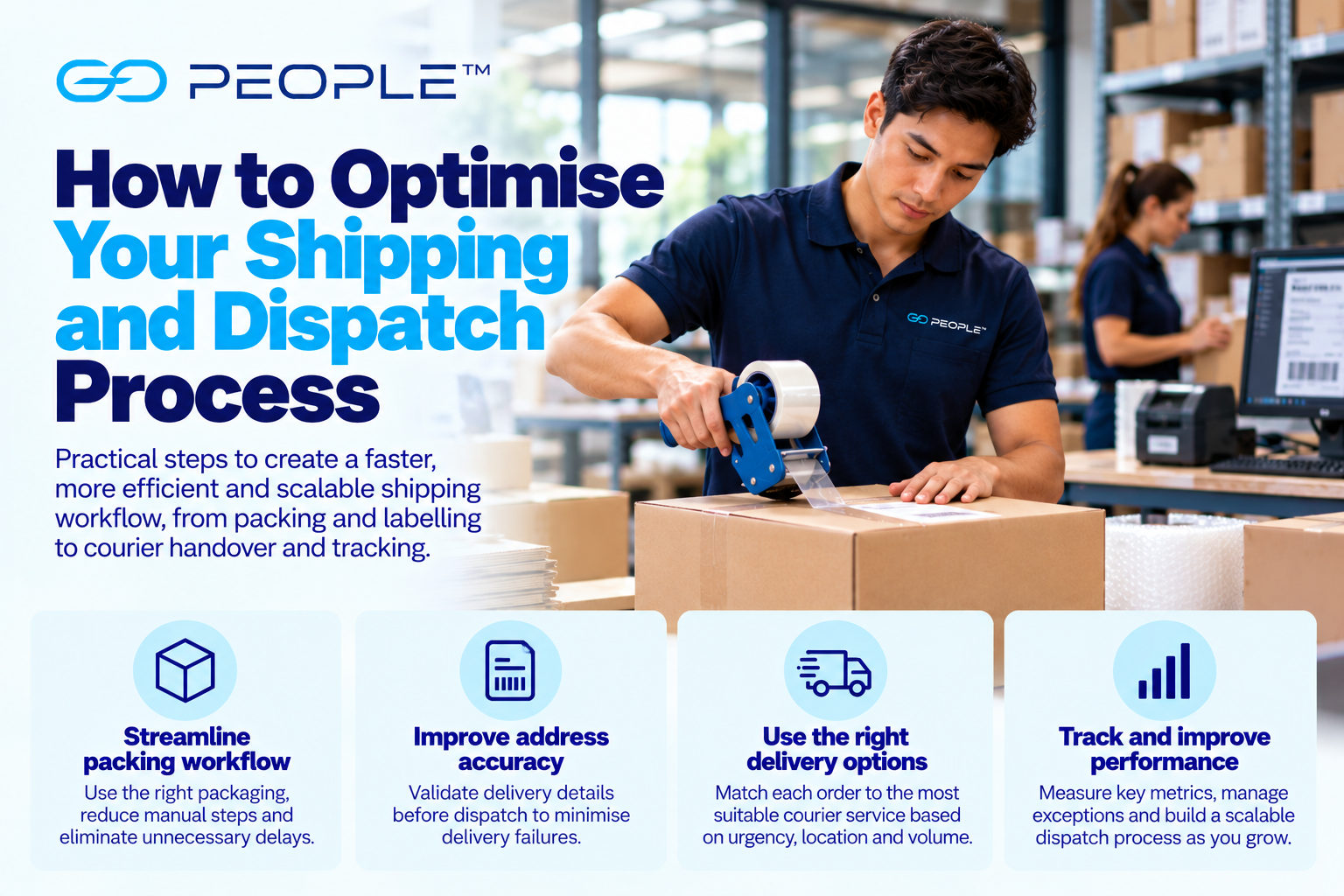
For a growing business, shipping problems often appear after the order has already been successfully picked.
The product is available.
The correct item has been selected.
The order is ready.
But then it enters a dispatch process filled with small delays:
- staff search for the right packaging;
- addresses are checked manually;
- delivery details are copied between systems;
- someone decides which delivery service to use;
- labels are printed individually;
- completed parcels accumulate in the wrong place;
- drivers wait while orders are located;
- tracking information is entered manually; or
- delivery exceptions are discovered too late.
Each individual delay may seem insignificant.
Across hundreds or thousands of orders, they can become a major operational cost.
Shipping process optimisation is about removing these unnecessary steps and creating a repeatable workflow from:
order ready → dispatch → delivery visibility
The objective isn’t simply to ship faster.
It is to create a process that is:
- accurate;
- predictable;
- efficient;
- scalable; and
- easy to manage when something goes wrong.
What Is a Shipping Process?
For this guide, the shipping process begins when an order is ready to move towards dispatch.
A typical workflow might look like:
Order released for shipping
↓
Final order verification
↓
Packaging selected
↓
Parcel packed
↓
Address checked
↓
Delivery service selected
↓
Label created
↓
Parcel staged for dispatch
↓
Courier handover
↓
Tracking activated
↓
Delivery
↓
Exception or completion
This sits within the broader ecommerce fulfilment process.
For the complete order journey—from inventory and picking through returns—see How to Fix Ecommerce Order Fulfilment Problems.
Why Shipping Workflows Become Inefficient
Most businesses do not intentionally design a bad shipping process.
Instead, the workflow evolves.
At first:
“Just enter the address here.”
Then:
“Print this spreadsheet every afternoon.”
Then:
“Use this courier for these orders, unless they’re urgent.”
Then:
“Copy the tracking number back into the ecommerce system.”
Eventually the operation contains dozens of manual steps created at different stages of the company’s growth.
Nobody deliberately designed the complete process.
That is why the first optimisation step is not automation.
It is understanding what actually happens today.
Step 1: Map Your Current Shipping Workflow
Follow a real order through the operation.
Record every action.
For example:
- Order becomes ready for dispatch.
- Staff open the order.
- Product is verified.
- Packaging is selected.
- Order is packed.
- Address is copied into delivery platform.
- Delivery service is selected.
- Label is generated.
- Label is printed.
- Label is attached.
- Tracking number is copied into ecommerce platform.
- Customer email is triggered.
- Parcel is moved to dispatch.
- Courier arrives.
- Staff locate the parcel.
- Parcel is handed over.
- Delivery is monitored.
- Exceptions are handled.
Then look for:
- repeated data entry;
- waiting;
- unnecessary walking;
- searching;
- manual decisions;
- duplicate checks;
- bottlenecks;
- unclear ownership; and
- work created by errors.
This gives you a baseline.
Step 2: Measure Order-to-Dispatch Time
Businesses often measure delivery speed but ignore how long an order waits before leaving the warehouse.
Track:
Order ready for shipping → courier handover
Then break that time down.
For example:
| Stage | Time |
|---|---|
| Waiting for packing | 45 min |
| Packing | 4 min |
| Waiting for label | 20 min |
| Label/booking | 3 min |
| Waiting in dispatch | 90 min |
In this example, the actual work takes seven minutes.
The parcel spends far longer waiting.
That distinction matters.
Optimising the four-minute packing process will not solve a 90-minute dispatch queue.
Step 3: Find the Bottleneck
A bottleneck is the part of the workflow limiting the entire operation.
Suppose:
- picking capacity = 500 orders/day;
- packing capacity = 350 orders/day;
- labelling capacity = 600 orders/day;
- dispatch capacity = 550 orders/day.
The system cannot sustainably process 500 orders per day.
Its effective capacity is constrained by packing.
Adding more pickers would simply create a larger queue before packing.
Always improve the bottleneck first.
Step 4: Establish Clear Shipping Cut-Offs
Cut-offs help coordinate:
- sales;
- warehouse;
- customer expectations; and
- delivery collections.
But cut-offs must reflect operational reality.
Consider:
- when orders become available for processing;
- average packing time;
- warehouse capacity;
- peak volumes;
- courier collection requirements; and
- service eligibility.
Avoid promising a late cut-off simply because competitors do.
A cut-off that your operation regularly misses creates:
- rushed packing;
- missed collections;
- incorrect customer expectations; and
- additional support.
Step 5: Separate Normal Orders From Exceptions
One of the most effective ways to improve a shipping process is to stop treating every order as unusual.
Most orders should ideally flow through a standard process.
Exceptions might include:
- invalid address;
- oversized parcel;
- unusual product;
- high-value order;
- customer-requested change;
- unsupported destination;
- urgent delivery;
- payment issue; or
- special handling requirement.
Create two workflows:
Normal orders → standard process
Exceptions → review queue
This prevents one complicated order from slowing dozens of straightforward ones.
Step 6: Standardise Packaging
Packing becomes slower when staff repeatedly decide:
- which box to use;
- how much cushioning is required;
- where to place the label;
- how to protect the product; and
- whether additional reinforcement is needed.
Frequently shipped products can have defined packing methods.
For example:
SKU group A → mailer type 1
SKU group B → carton type 2 + insert
SKU group C → carton type 3 + protective material
The exact system depends on your products.
The principle is to reduce unnecessary decisions.
Step 7: Position Packaging Where It Is Used
Warehouse efficiency can be affected by surprisingly simple layout problems.
If packers repeatedly walk across the warehouse to collect:
- cartons;
- tape;
- labels;
- cushioning; or
- mailers,
that travel occurs for every order.
Frequently used materials should be positioned appropriately around the workflow.
Measure walking as part of the process.
It is labour time.
Step 8: Use the Right Packaging Size
Packaging affects both operations and delivery.
A package that is unnecessarily large can:
- use more material;
- require more void fill;
- take longer to prepare;
- occupy more warehouse space;
- occupy more vehicle space; and
- potentially affect delivery cost.
Packaging that is too small may provide inadequate protection.
Aim for packaging that is appropriate for:
product + protection + delivery journey
For unusual products, see How to Pack Awkward and Irregular-Shaped Items for Delivery.
Step 9: Check Addresses Before the Parcel Reaches Dispatch
An address problem discovered after the parcel is packed and staged creates unnecessary work.
Where practical, validate delivery information earlier.
Check:
- recipient;
- street number;
- street;
- suburb;
- state;
- postcode;
- unit or suite;
- business name where relevant;
- phone number; and
- delivery instructions.
The best time to correct an address is before dispatch.
Step 10: Reduce Manual Address Entry
Consider this process:
Customer enters address
↓
Ecommerce platform stores address
↓
Warehouse prints order
↓
Employee manually enters address into delivery platform
Every manual re-entry creates an opportunity for:
- typo;
- missing unit number;
- wrong postcode;
- incorrect customer name; or
- incorrect phone number.
Where integrations are practical, allow data to flow between systems instead.
Step 11: Create Delivery-Service Rules
Employees should not need to make a fresh courier decision for every ordinary order.
Create rules based on factors such as:
- urgency;
- pickup location;
- destination;
- number of deliveries;
- parcel characteristics;
- customer selection;
- service availability; and
- cost.
For example:
Routine eligible parcel → regular/next-day workflow
Eligible customer requiring delivery today → same-day workflow
Multiple local deliveries ready together → evaluate multi-drop
Individual urgent requirement → evaluate on-demand
The specific rules should match your business.
Step 12: Don’t Make Every Parcel Urgent
A common source of unnecessary delivery cost is treating ordinary orders as emergencies.
Before selecting a premium delivery option, ask:
- What did we promise the customer?
- When does the customer actually need the order?
- Did they select a premium service?
- Is urgency commercially justified?
- Is the service available for this job?
Faster delivery is valuable when it solves a real requirement.
It should not compensate for an inefficient warehouse process.
Step 13: Match Delivery Options to Different Requirements
Businesses may need more than one delivery model.
Regular Next-Day Parcels
For eligible business pickups in Sydney, Melbourne and Brisbane, GoEXPRESS provides next-day parcel delivery with tracking and proof of delivery.
Multiple Deliveries From One Pickup
GoBUNDLE is designed for businesses sending multiple deliveries, combining dedicated delivery runs with route optimisation, tracking and digital proof of delivery.
Same-Day Requirements
For eligible business pickups, GoSAMEDAY provides a same-day option.
Urgent Individual Jobs
GoVIP provides an on-demand courier option for urgent and time-sensitive requirements.
The appropriate service depends on the specific job and service eligibility.
Step 14: Automate Service Selection Where Practical
As volume increases, rule-based service selection can reduce manual work.
Conceptually:
IF destination + order + timing meets Rule A → Service A
IF order meets Rule B → Service B
ELSE → manual review
The objective is not to remove human oversight.
It is to reserve human decision-making for orders that actually require it.
Step 15: Batch Repetitive Tasks
Processing one order at a time can create unnecessary switching.
Where appropriate, businesses may batch activities such as:
- order release;
- picking;
- packing;
- label printing;
- delivery booking; or
- dispatch preparation.
The right batch size depends on your operation.
Very large batches can create their own delays.
The objective is to reduce repetitive setup and context switching without creating excessive queues.
Step 16: Make Label Printing Efficient
Labelling should not become a bottleneck.
Review:
- printer location;
- printer reliability;
- label stock;
- system workflow;
- manual entry;
- reprints;
- duplicate labels; and
- how labels are matched to parcels.
A wrong label can turn a correctly fulfilled order into a serious delivery problem.
Build verification into the workflow.
Step 17: Create a Clear Dispatch Area
Completed parcels need somewhere to go.
A good dispatch area should clearly distinguish between:
- still being processed;
- ready for collection;
- exceptions;
- different delivery services where necessary; and
- collected/completed handovers.
Without a clear staging system, staff can waste time searching for parcels when drivers arrive.
Step 18: Organise Dispatch Around Collection
Ask:
- When do drivers normally arrive?
- Which parcels need to be ready first?
- Are completed parcels easy to access?
- Can the handover happen without interrupting packing?
- Are different collections clearly separated?
A driver should not arrive and trigger a warehouse search.
Ideally, the required parcels are already:
ready + counted + staged + identifiable.
Step 19: Confirm Parcel Counts
For multi-parcel handovers, compare:
expected parcels
with:
actual parcels handed over.
For example:
Expected: 84
Collected: 84
This creates a basic control point.
If a parcel later appears to be missing, you have useful information about whether it entered the delivery process.
Step 20: Record the Handover
Depending on your systems and delivery service, maintain an appropriate record of collection.
This might involve:
- scan;
- manifest;
- collection status;
- parcel count;
- booking record; or
- another form of confirmation.
The objective is to establish a clear transition between:
warehouse responsibility
and:
delivery process.
Step 21: Automate Tracking Information
Once a parcel leaves, customers want visibility.
Avoid workflows where staff must manually:
- copy a tracking number;
- open the ecommerce platform;
- locate the order;
- paste the tracking number;
- change the status;
- manually email the customer.
At volume, this becomes expensive.
Where possible, integrate or automate the flow of tracking information.
Step 22: Send Useful Customer Notifications
Notifications should answer meaningful questions.
For example:
- Has the order been dispatched?
- Is delivery progressing?
- Has delivery been attempted?
- Has delivery been completed?
- Does the customer need to take action?
More messages are not automatically better.
Focus on useful information.
Step 23: Make Self-Service Tracking Easy
Customers should not need to call support for routine delivery information.
A useful tracking experience can reduce:
“Where is my order?”
enquiries.
That benefits both:
- the customer; and
- the support team.
For more detail, see How Delivery Tracking Can Reduce Customer Service Enquiries.
Step 24: Manage by Exception
At higher volume, staff cannot manually monitor every delivery.
Nor should they.
A scalable process focuses attention on orders that are not progressing normally.
Examples include:
- unsuccessful delivery;
- unusual delay;
- incorrect address;
- delivery dispute;
- missing parcel;
- customer access problem; or
- other abnormal event.
Think of it as:
Normal delivery → system handles
Exception → person investigates
This is much more scalable than manually watching everything.
Step 25: Create an Exception Queue
Delivery problems should not disappear into:
- email;
- Slack;
- spreadsheets;
- handwritten notes;
- individual staff inboxes; or
- someone’s memory.
Create a consistent way to identify unresolved exceptions.
Useful fields might include:
- order;
- customer;
- delivery reference;
- issue type;
- current status;
- owner;
- next action; and
- resolution.
The tool matters less than the discipline.
Step 26: Define Who Owns Delivery Problems
A common problem is unclear responsibility.
The warehouse says:
“It has already left.”
Customer service says:
“We need to ask operations.”
Operations says:
“Contact the courier.”
Meanwhile, the customer waits.
Define responsibility for:
- failed delivery;
- delayed parcel;
- wrong address;
- missing parcel;
- delivery dispute;
- damaged item; and
- customer-requested changes.
A clear owner improves response time.
Step 27: Make Proof of Delivery Easy to Access
Once delivery is completed, proof of delivery can help resolve enquiries.
Depending on the service, this may include:
- status;
- timestamp;
- photograph;
- signature; or
- another completion record.
Support teams should know where to find it.
See What Is Proof of Delivery and Why Does It Matter?.
Step 28: Track Failed Deliveries
A failed delivery is not merely a courier statistic.
It can create:
- redelivery;
- return transport;
- customer-service work;
- warehouse handling;
- refund or replacement; and
- customer dissatisfaction.
Track:
failed deliveries ÷ total delivery attempts
Then categorise the causes.
Possible categories include:
- incorrect address;
- access problem;
- recipient unavailable;
- missing instructions;
- delivery exception; or
- another relevant cause.
For more detail, see How to Reduce Failed Deliveries and Improve First-Attempt Delivery Success.
Step 29: Track On-Time Dispatch Separately From On-Time Delivery
These are different metrics.
On-Time Dispatch
Did your warehouse hand the order over when expected?
On-Time Delivery
Was the parcel delivered within the expected timeframe?
This distinction is critical.
If customers complain about late delivery but the warehouse repeatedly dispatches late, the solution is not necessarily changing delivery providers.
Step 30: Track Cost per Successfully Dispatched Order
Shipping-process costs may include:
- packing labour;
- packaging;
- label generation;
- delivery administration;
- dispatch labour;
- delivery charges;
- failed-delivery administration; and
- support.
Measure the total process rather than only the courier invoice.
This helps identify where optimisation creates genuine savings.
A Practical Shipping Workflow Scorecard
| KPI | What It Measures |
|---|---|
| Order-ready to dispatch time | Shipping workflow speed |
| Packing time per order | Packing efficiency |
| On-time dispatch rate | Warehouse reliability |
| Address-error rate | Data quality |
| Manual touches per order | Process complexity |
| Dispatch errors | Operational accuracy |
| First-attempt delivery success | Delivery effectiveness |
| Delivery exception rate | Downstream friction |
| Delivery enquiries | Customer visibility |
| Cost per successful shipment | Overall efficiency |
You do not need to track every possible metric.
Choose the measures that expose your largest problems.
Reduce Manual Touches
A useful optimisation metric is:
How many times does a person have to touch the order information?
For example:
Inefficient
Order created → printed → manually entered → manually booked → tracking copied → spreadsheet updated → customer emailed.
More Efficient
Order created → data flows to shipping workflow → service rule applied → label generated → tracking returned → customer notified.
Every removed manual step can potentially reduce:
- labour;
- delay; and
- error.
But Don’t Automate a Bad Process
Automation can make an inefficient process run inefficiently faster.
Before automating:
- remove unnecessary steps;
- simplify the workflow;
- define the rules;
- standardise normal cases;
- define exceptions;
- then automate.
If staff cannot clearly explain the process, software will not automatically make it clear.
Optimise for Normal Flow and Fast Exception Handling
A mature shipping process has two objectives.
Objective 1: Make Normal Orders Boring
Routine orders should move through the process with minimal intervention.
Objective 2: Make Problems Visible Quickly
Exceptions should be:
- identified;
- assigned;
- investigated; and
- resolved.
Trying to manually supervise every normal shipment wastes resources.
Ignoring exceptions damages customer experience.
You need both.
Prepare for Peak Volume Before It Arrives
A workflow that works at 200 orders per day may fail at 600.
Before peak periods, identify:
- packing capacity;
- label-printing capacity;
- dispatch staging space;
- pickup capacity;
- delivery capacity;
- staffing requirements; and
- likely bottlenecks.
Run scenarios.
What happens at:
+25% volume?
+50%?
+100%?
The answer should not be:
“We’ll work it out when it happens.”
For more detail, see How to Manage Delivery Delays During Peak Seasons.
Build Buffer Capacity Carefully
Running every part of the operation at 100% capacity leaves little room for:
- late orders;
- equipment failure;
- staff absence;
- promotions;
- urgent jobs; or
- unexpected demand.
Some buffer can improve resilience.
But too much permanent unused capacity becomes expensive.
This is one reason businesses may combine:
internal capacity + outsourced delivery capacity
rather than building their entire operation around the busiest day of the year.
Know When Shipping Has Become a Separate Operation
For a small business, shipping may begin as a task performed by whoever is available.
Growth changes that.
Warning signs include:
- dedicated dispatch staff;
- multiple daily collections;
- complex service selection;
- increasing delivery exceptions;
- substantial packaging inventory;
- tracking-related support workload;
- multiple delivery providers; and
- significant management time.
At this point, shipping should be managed as a defined operational process.
A Daily Shipping and Dispatch Checklist
Before Packing
- ☐ Order ready for shipping
- ☐ Correct product confirmed
- ☐ Delivery address complete
- ☐ Customer contact information available
- ☐ Exceptions separated
Packing
- ☐ Appropriate packaging selected
- ☐ Product adequately protected
- ☐ Parcel securely sealed
- ☐ Weight/dimensions handled appropriately
- ☐ Correct order matched to package
Delivery Selection
- ☐ Customer delivery choice confirmed
- ☐ Delivery urgency understood
- ☐ Service eligibility checked
- ☐ Correct delivery service selected
Labelling
- ☐ Recipient correct
- ☐ Address correct
- ☐ Label readable
- ☐ Label attached securely
- ☐ Old labels removed
Dispatch
- ☐ Parcel moved to correct staging area
- ☐ Collection group correct
- ☐ Parcel count confirmed
- ☐ Handover recorded
After Collection
- ☐ Tracking available where applicable
- ☐ Customer notification triggered
- ☐ Exceptions monitored
- ☐ Proof of delivery accessible where applicable
A Weekly Shipping Optimisation Review
Ask:
Volume
How many parcels were dispatched?
Speed
How long did orders wait between shipping-ready and collection?
Bottleneck
Which stage created the largest queue?
Accuracy
How many:
- address errors;
- wrong labels;
- missed parcels; or
- dispatch errors
occurred?
Delivery
How many deliveries were:
- completed;
- delayed;
- unsuccessful; or
- exceptions?
Customer Service
How many shipping or delivery enquiries were received?
Cost
Did cost per shipment change?
Manual Work
Which repetitive task consumed the most staff time?
Improvement
What one workflow change should we test next?
Improving one constraint each week can produce substantial operational improvement over time.
The Best Shipping Process Is Usually the Simplest Reliable One
Shipping optimisation does not mean adding more systems, more dashboards or more complexity.
Often, the biggest improvements come from:
- fewer manual steps;
- cleaner data;
- standard packaging;
- clear delivery rules;
- better warehouse layout;
- organised dispatch;
- integrated tracking;
- exception management; and
- consistent measurement.
A good workflow should make routine orders easy.
It should also make unusual orders obvious.
That allows staff to spend less time:
copying
searching
waiting
and:
fixing avoidable mistakes
and more time managing the orders that genuinely require human attention.
The result is not simply faster shipping.
It is a delivery operation that can handle more volume without creating the same increase in labour, errors and customer-service workload.
Frequently Asked Questions
What is shipping process optimisation?
Shipping process optimisation means improving the workflow between an order becoming ready for dispatch and its movement into the delivery network. It can include packing, address checking, delivery-service selection, labelling, dispatch staging, courier handover, tracking and exception management.
How can a business speed up its dispatch process?
Map the existing workflow, identify the largest bottleneck, standardise packaging, reduce manual data entry, create clear delivery rules, organise the dispatch area and automate repetitive tasks where practical.
What is the difference between fulfilment and shipping?
Fulfilment covers the broader process from receiving an order through inventory, picking, packing, shipping, delivery and returns. The shipping process is the narrower workflow involved in preparing and handing the order into the delivery process.
How can businesses reduce shipping errors?
Improve address quality, verify orders before labelling, standardise packaging, reduce manual re-entry, clearly separate delivery services and confirm parcel counts during handover.
Should businesses use one delivery service for every order?
Not necessarily. Different orders may have different requirements based on urgency, volume, location, parcel characteristics and customer expectations. Clear delivery rules can help select the appropriate option.
Which shipping KPIs should businesses track?
Useful metrics include order-ready-to-dispatch time, on-time dispatch, address-error rate, dispatch errors, first-attempt delivery success, exception rate, delivery enquiries and cost per successful shipment.
When should a business automate its shipping process?
Automation is most useful after the underlying process has been simplified and standardised. Prioritise repetitive, high-volume tasks that consume significant staff time or create frequent errors.