A customer finds your website, browses your products, chooses something they want and adds it to their cart.
Then they leave.
For ecommerce businesses, this can be particularly frustrating because much of the difficult work has already happened. The business attracted the visitor, presented the right product and generated enough purchase intent for the customer to begin the buying process.
Something between “Add to Cart” and “Place Order” stopped them.
Some cart abandonment is unavoidable. Customers compare products, save items for later, become distracted or simply change their minds.
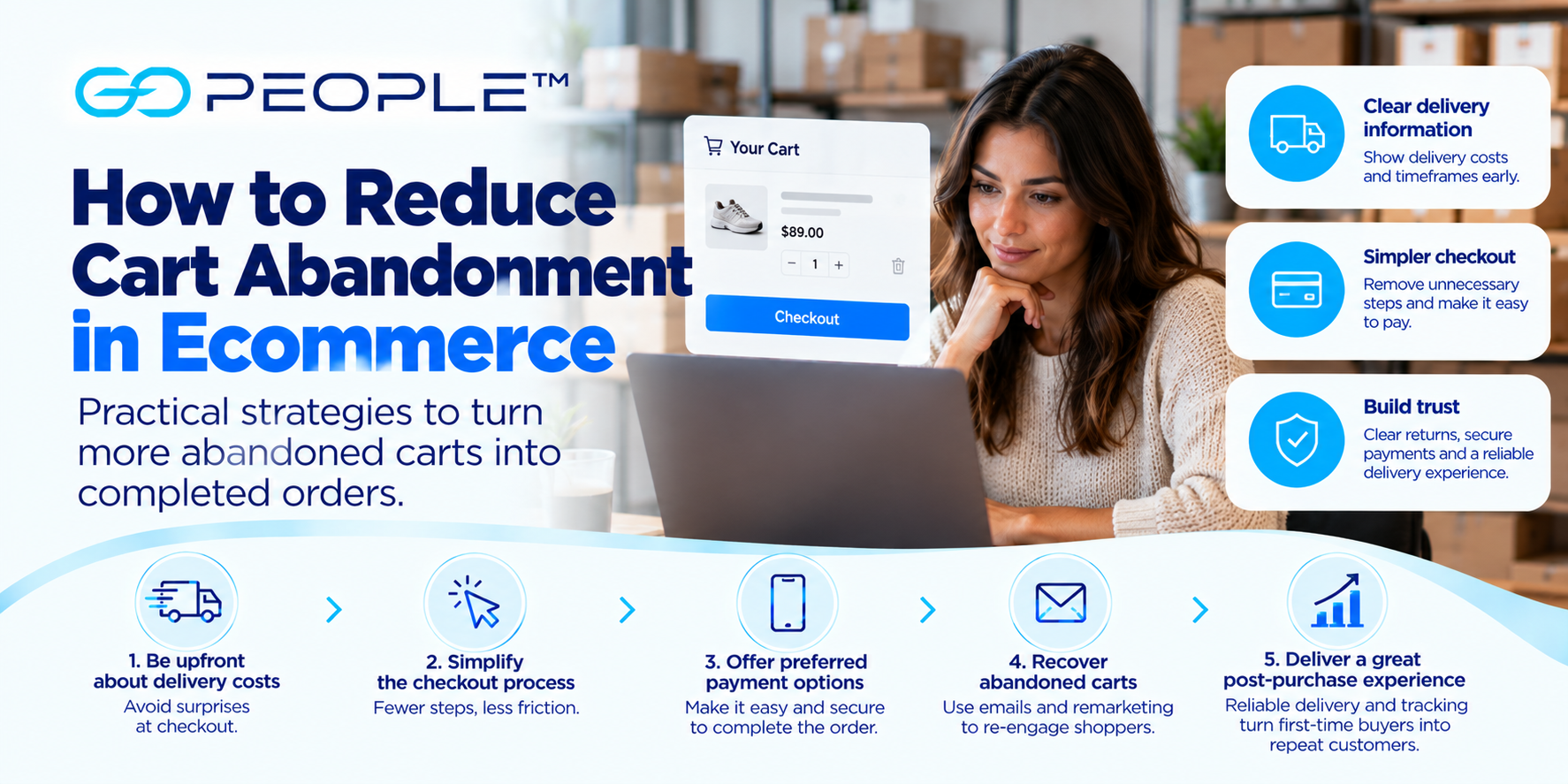
But other abandoned carts are caused by problems businesses can address: unexpected delivery charges, unclear delivery timeframes, complicated checkout processes, limited payment options or a lack of trust.
Reducing cart abandonment isn’t about forcing every visitor to complete a purchase.
It’s about identifying and removing unnecessary reasons that otherwise willing customers don’t complete checkout.
What Is Cart Abandonment?
Cart abandonment occurs when a customer adds one or more products to an online shopping cart but leaves without completing the purchase.
For example:
1. Customer visits the website
↓
2. Views a product
↓
3. Adds it to cart
↓
4. Begins checkout
↓
5. Leaves without purchasing
That final step is the abandonment.
Businesses should distinguish this from customers who simply browse without adding anything to their cart.
Someone who has added a product has demonstrated stronger purchase intent, which makes understanding why they left particularly valuable.
How Do You Calculate Cart Abandonment Rate?
A simple calculation is:
Cart abandonment rate = 1 − (Completed purchases ÷ Shopping carts created)
For example, suppose:
- 1,000 customers create carts
- 350 complete their purchases
- 650 leave without purchasing
The abandonment rate would be:
1 − (350 ÷ 1,000) = 65%
The exact analytics setup and definition of a created cart can vary between ecommerce platforms, so businesses should make sure they’re comparing the same events consistently over time.
The objective isn’t necessarily to reach some universal “perfect” abandonment rate.
It is to understand your own checkout performance and identify where improvements can be made.
Why Do Customers Abandon Their Carts?
There is rarely one reason.
Customers might leave because of:
- unexpected delivery charges
- unclear delivery timeframes
- compulsory account creation
- complicated checkout
- limited payment options
- technical problems
- poor mobile experience
- lack of trust
- discount-code problems
- slow website performance
- unclear returns information
- uncertainty about the product
- distraction
- comparison shopping
Some of these are commercial decisions.
Others are simply unnecessary friction.
The first step is identifying which problems actually affect your customers.
1. Show Delivery Costs Earlier
One of the worst times to surprise a customer with an additional cost is immediately before they pay.
Imagine a customer sees a product advertised for $80.
They add it to their cart expecting to pay approximately $80.
At checkout, they discover:
- $80 product
- $15 delivery
- additional fees
Their perception of the purchase changes.
The issue isn’t necessarily that the delivery charge exists.
The issue is that the customer didn’t expect it.
Where practical, make delivery pricing or the method for calculating it clear before the final checkout stage.
That could mean displaying:
- flat-rate delivery
- free-delivery thresholds
- postcode-based estimates
- delivery options
- links to delivery information
Transparency helps customers make an informed decision earlier.
2. Consider a Free-Delivery Threshold
Free delivery can reduce checkout friction, but businesses shouldn’t introduce it without understanding the economics.
One approach is:
Free delivery on orders over $100
This can achieve two objectives.
First, customers know how to avoid the delivery charge.
Second, customers whose carts are close to the threshold may add another product.
For example:
Current cart: $87
Free delivery threshold: $100
A customer may decide that adding a $15 product provides better value than paying a separate delivery charge.
But the numbers need to work for the business.
We’ve covered how to calculate and structure this in Should Your Business Offer Free Delivery?.
3. Don’t Hide Delivery Information Until Checkout
Delivery cost isn’t the only delivery-related question.
Customers may also want to know:
- When will it arrive?
- Where do you deliver?
- Is tracking available?
- Do I need to be home?
- Can I get it urgently?
- What happens if delivery is unsuccessful?
If customers can’t answer basic delivery questions before purchasing, uncertainty can become another reason to leave.
Important information can be presented on:
- product pages
- delivery-information pages
- FAQs
- cart pages
- checkout
- service-area information
Don’t overload every product page with delivery terms.
Make the important information easy to find.
4. Set Realistic Delivery Expectations
Businesses naturally want to make their offer attractive.
But aggressive delivery promises can create problems if operations can’t consistently support them.
If an order is expected to arrive tomorrow, say so when that expectation is realistic.
If delivery takes several days, communicate that instead.
The objective should be:
Clear expectation → reliable fulfilment → successful delivery
rather than:
Aggressive promise → sale → disappointed customer
The second approach may improve short-term conversion while damaging repeat purchasing.
5. Offer Delivery Options Where They Make Sense
Not every customer has the same priority.
One customer might prefer:
Lower-cost planned delivery
Another might need:
Same-day delivery
Another might have an urgent requirement where speed matters more than price.
Businesses don’t necessarily need to subsidise the fastest option for everyone.
Instead, they can provide different delivery choices where operationally appropriate.
For example:
| Option | Customer Need |
|---|---|
| Next-day | Regular ecommerce purchase |
| Multi-drop | Business deliveries grouped into a route |
| Same-day | Needs to arrive today |
| On-demand | Urgent/time-sensitive job |
For eligible businesses, GoPeople provides different delivery models through GoEXPRESS, GoBUNDLE, GoSAMEDAY and GoVIP.
The point isn’t to show customers every possible courier service.
It’s to give them appropriate choices without creating unnecessary complexity.
6. Make Checkout as Simple as Possible
Every unnecessary checkout step creates another opportunity for customers to leave.
Review your checkout from the customer’s perspective.
Ask:
- How many screens are required?
- How many fields must be completed?
- Are all fields necessary?
- Is the next step obvious?
- Can information be entered easily on mobile?
- Are errors clearly explained?
A business may need certain information for payment, fraud prevention, fulfilment and delivery.
But avoid collecting information simply because the checkout template provides a field for it.
7. Consider Guest Checkout
Requiring customers to create an account can introduce friction.
A first-time customer may simply want to buy a product.
They may not want to:
- create a username
- create another password
- confirm an account
- provide additional profile information
Where appropriate, allowing guest checkout can reduce this barrier.
You can still offer customers the option to create an account after the purchase or explain the benefits of doing so.
The key distinction is between:
offering an account
and
forcing an account before purchase.
8. Make Checkout Work Properly on Mobile
A checkout designed for a desktop computer can become frustrating on a phone.
Potential problems include:
- tiny form fields
- difficult navigation
- buttons hidden below overlays
- excessive scrolling
- poor keyboard behaviour
- unreadable error messages
- payment windows that don’t display properly
Test the entire purchase process on actual mobile devices.
Don’t stop at the homepage.
Go through:
Product → Cart → Checkout → Payment → Confirmation
The customer needs the whole journey to work.
9. Provide Appropriate Payment Options
Customers have different payment preferences.
Depending on your business and payment provider, appropriate options might include:
- credit/debit cards
- digital wallets
- other supported payment methods
More options aren’t automatically better.
The objective is to support the payment methods your customers reasonably expect without creating a confusing checkout.
Businesses should also consider transaction fees, fraud risk, settlement arrangements and the applicable terms of each payment provider.
10. Build Trust Before Asking for Payment
Customers need confidence before entering payment details.
Trust can be affected by:
- professional website design
- clear contact information
- secure checkout
- recognisable payment methods
- transparent delivery information
- returns information
- genuine reviews
- clear product descriptions
- accurate images
Trust is especially important for customers who have never purchased from the business before.
A first-time buyer doesn’t have previous experience with your company to rely on.
Your website needs to give them enough confidence to complete the transaction.
11. Make Returns Information Easy to Find
Customers may hesitate if they don’t understand what happens when:
- the product doesn’t fit
- they ordered the wrong item
- the product arrives damaged
- they change their mind
- they receive the wrong product
Your returns policy should reflect your actual legal obligations and business terms.
From a conversion perspective, the important point is accessibility.
Customers shouldn’t need to search through obscure pages to understand basic return arrangements.
12. Fix Product-Page Uncertainty
Sometimes the cart isn’t the real problem.
The customer may have added a product but still isn’t confident about buying it.
Common uncertainties include:
- size
- colour
- dimensions
- compatibility
- material
- what’s included
- warranty
- stock availability
- delivery
Better product information can reduce uncertainty before checkout begins.
Use clear:
- photographs
- descriptions
- specifications
- sizing information
- relevant FAQs
The objective is to help customers make confident decisions.
13. Avoid Discount-Code Frustration
A promotional-code field can sometimes create an unintended problem.
A customer sees:
Enter discount code
and immediately thinks:
“There must be a discount code somewhere.”
They leave the checkout to search Google, social media or coupon websites.
They may never return.
If discounting is an important part of your strategy, make promotions clear.
Also ensure advertised codes:
- work correctly
- have understandable conditions
- have accurate expiry dates
- apply to the products customers expect
A broken promotional code at checkout can turn an enthusiastic customer into an abandoned cart.
14. Improve Website Speed and Reliability
Checkout is not the place for technical problems.
Slow pages, errors and crashes can interrupt purchase intent.
Monitor important ecommerce pages for:
- slow loading
- broken buttons
- payment errors
- browser issues
- mobile problems
- plugin conflicts
- checkout failures
A customer who wants to pay but can’t is one of the most avoidable forms of cart abandonment.
15. Use Abandoned-Cart Emails
Not every abandoned cart needs a website change.
Sometimes customers simply become distracted.
An abandoned-cart email can remind customers about products they were considering.
Depending on your ecommerce platform and customer permissions, a sequence might include:
Reminder 1:
You left something in your cart.
Reminder 2:
Still interested? Here’s your cart.
Reminder 3:
Final reminder or relevant incentive, where appropriate.
Avoid training customers to deliberately abandon carts because they know a discount will immediately arrive.
Not every recovery message needs a coupon.
16. Use Remarketing Carefully
Customers who visited product pages or abandoned carts can sometimes be reached again through remarketing campaigns.
The advantage is that these audiences already know something about your business.
Rather than showing a completely generic advertisement, messaging can reflect their stage in the buying journey.
For example:
Product viewer: learn more about the product.
Cart abandoner: return to complete the purchase.
Previous customer: discover related products.
Remarketing should complement the customer experience rather than overwhelm people with repetitive advertising.
17. Use Customer Support to Rescue High-Intent Purchases
For some businesses—particularly those selling expensive or complex products—customers may have questions immediately before purchasing.
Accessible support can help answer questions about:
- products
- compatibility
- delivery
- stock
- returns
- payment
The appropriate support channel depends on the business.
It might include:
- live chat
- phone
- FAQs
- product guidance
If the same question repeatedly prevents purchases, the better long-term solution may be to answer it directly on the website.
18. Make the Delivery Experience Match the Checkout Promise
Reducing abandonment isn’t useful if customers complete checkout and then have a poor delivery experience.
Suppose the checkout promises a straightforward delivery.
After purchase:
- tracking is unclear
- updates are missing
- delivery is delayed
- the customer doesn’t know what happened
- support can’t answer questions
The business may have improved its checkout conversion but damaged the customer’s willingness to order again.
Marketing and delivery performance need to work together.
Our Ecommerce Delivery in Australia guide explains how delivery fits into the broader ecommerce operation.
19. Give Customers Visibility After Purchase
The customer’s need for information doesn’t disappear after payment.
In many cases it increases.
They’ve now given you money and want to know what happens next.
Useful post-purchase communication can include:
- order confirmation
- dispatch information
- delivery status
- tracking
- relevant updates
- proof of delivery
Better visibility can also reduce repetitive “Where is my order?” enquiries.
See Why Real-Time Tracking Is a Must for Online Shopping for more on the role tracking plays in the customer experience.
20. Analyse Where Customers Actually Drop Out
Don’t guess why customers abandon carts if your analytics can provide better evidence.
Break the funnel into stages.
For example:
Product page
↓
Add to cart
↓
View cart
↓
Begin checkout
↓
Enter delivery information
↓
Enter payment
↓
Purchase
Then look for unusually large drop-offs.
High Product Views, Low Add-to-Cart
Possible issues:
- pricing
- product presentation
- poor targeting
- unclear value proposition
High Add-to-Cart, Low Checkout Starts
Possible issues:
- cart design
- unexpected preliminary costs
- customer still comparing
High Checkout Starts, Low Purchases
Possible issues:
- delivery costs
- payment problems
- compulsory account creation
- checkout complexity
- technical errors
- trust
The location of the drop-off helps determine what to investigate.
21. Segment Your Cart Abandonment Data
One overall abandonment rate can hide useful patterns.
Compare performance by:
- mobile vs desktop
- new vs returning customers
- traffic source
- product category
- location
- order value
- delivery option
- promotional campaign
For example, suppose:
Desktop abandonment: 55%
Mobile abandonment: 78%
That suggests a very different problem from abandonment being equally high across all devices.
Similarly, if abandonment rises sharply for customers outside a particular delivery area, delivery pricing or availability may be contributing.
22. Test Changes Rather Than Making Everything at Once
Suppose you simultaneously:
- redesign checkout
- introduce free delivery
- add a new payment method
- change product pricing
- launch a promotion
Sales increase.
Which change worked?
You don’t know.
Where practical, test significant changes systematically.
Examples include:
- different free-delivery thresholds
- clearer delivery messaging
- guest checkout
- shorter forms
- different cart layouts
Measure what happens rather than relying only on intuition.
23. Don’t Optimise Only for Conversion Rate
A higher conversion rate isn’t automatically better for the business.
Imagine introducing free delivery on every order.
Conversion rises significantly.
But delivery costs consume so much margin that total profit falls.
The website metric improved while the business outcome became worse.
Track conversion alongside:
- average order value
- gross margin
- customer acquisition cost
- delivery cost
- returns
- repeat purchases
- customer lifetime value
The objective is profitable conversion, not simply more transactions.
A Practical Cart-Abandonment Checklist
If your ecommerce store has a cart-abandonment problem, review these areas:
Product
- Are descriptions complete?
- Are images clear?
- Are dimensions/sizes obvious?
- Is stock information accurate?
Pricing
- Is the total product price clear?
- Are promotions understandable?
- Do discount codes work?
Delivery
- Are delivery charges visible?
- Are delivery timeframes clear?
- Is the service area understandable?
- Are appropriate delivery options offered?
Checkout
- Is guest checkout available where appropriate?
- Are unnecessary fields removed?
- Does checkout work well on mobile?
- Are errors clearly explained?
Payment
- Are expected payment methods available?
- Does payment work reliably?
- Are failures being monitored?
Trust
- Is contact information visible?
- Are returns explained?
- Does the website look credible?
- Are reviews genuine and useful?
Recovery
- Are abandoned-cart emails configured?
- Is remarketing appropriate?
- Are recurring customer questions being addressed?
Measurement
- Do you know where customers drop out?
- Have you segmented by device and channel?
- Are you measuring profitability as well as conversion?
Frequently Asked Questions About Cart Abandonment
What is cart abandonment in ecommerce?
Cart abandonment occurs when a customer adds products to an online shopping cart but leaves before completing the purchase.
It is different from ordinary website browsing because the customer has already demonstrated stronger purchase intent.
Why do customers abandon shopping carts?
Customers abandon carts for many reasons, including unexpected delivery charges, unclear delivery timeframes, complicated checkout, compulsory account creation, payment problems, poor mobile usability or simply changing their minds.
Analytics and customer feedback can help identify the most important causes for a particular store.
How can I reduce cart abandonment?
Start by making costs and delivery information clear, simplifying checkout, ensuring the website works properly on mobile, providing appropriate payment methods and removing unnecessary barriers.
Then analyse where customers leave the funnel and test improvements.
Does free delivery reduce cart abandonment?
It can remove delivery charges as a checkout barrier, but free delivery still costs the retailer money.
Businesses should evaluate whether improved conversion and potentially higher order values justify the cost.
A minimum-order threshold is one way to balance the customer incentive with commercial economics.
When should delivery costs be shown?
Customers should be able to understand delivery costs early enough to avoid an unpleasant surprise at the final payment stage.
Exactly where and how the price is displayed depends on the business and how delivery charges are calculated.
Are abandoned-cart emails effective?
They can recover customers who were interested but didn’t complete their purchase.
However, abandoned-cart emails shouldn’t be used as a substitute for fixing fundamental checkout problems.
If customers consistently abandon because of unexpected costs or technical errors, address those problems first.
Why does delivery matter to cart abandonment?
Customers consider the complete cost and convenience of receiving a product, not just its listed price.
Unclear delivery charges, uncertain timeframes or unsuitable delivery options can create friction before purchase.
Clear delivery information can help customers make a more confident decision.
The Best Cart Is the One That Becomes a Good Customer Experience
Reducing cart abandonment isn’t about manipulating customers into completing purchases.
It’s about removing unnecessary obstacles.
Make product information clear.
Be transparent about pricing and delivery.
Keep checkout simple.
Make payment reliable.
Give customers confidence.
And once they buy, make sure fulfilment and delivery live up to the expectations created during checkout.
That last part matters because the ultimate goal isn’t merely:
Cart → Order
It’s:
Visitor → Customer → Successful Delivery → Satisfied Customer → Repeat Customer
A business that improves the entire journey can create far more value than one that focuses only on getting customers past the checkout button.